Signal Management
 To open the Signal Management dialog box, click the "Turn Signals On or Off..." button, located in the badges bar, between the Waveform badges and the Horizontal badge.
The Signal Management dialog box contains buttons for all available analog channels, functions, waveform memories, color grade memories, real-time eyes, and protocol decodes. The button is colored if the signal is being displayed (on) or grayed-out if the signal is not being displayed (off). Click a button to toggle between on and off.
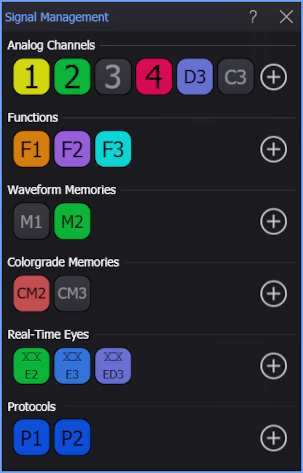
To add analog channels, functions, waveform memories, color grade memories, real-time eyes, or protocol decodes, click the associated "+" add button. See: