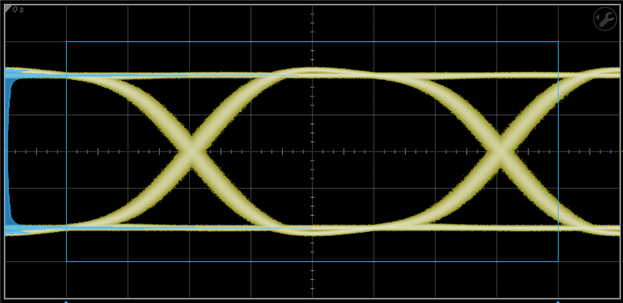
:HISTogram:WINDow:DEFault
Command Syntax
:HISTogramN:WINDow:DEFault
This command supports the DEFault common child command.
Where N identifies one of four possible histograms {1:4} that you can design. For example, :HISTogram3.
Description
Sets the X1, X2, Y1, and Y2 coordinates to time and amplitude values required to create a centered histogram window 8 major graticule divisions wide and 6 divisions high. The window is shown as a blue border line on the display. This default window is the same shape regardless of the type of histogram specified with the :HISTogram:AXIS command. The histogram window defines the region of the measurement database that is used to construct the histogram. Use the :HISTogram:WINDow:X and :HISTogram:WINDow:Y commands to create a custom window.
Default Histogram Window