Custom Waveform Names
To help you identify displayed waveforms, waveform labels are displayed in tiled, stacked, or tab tile views.
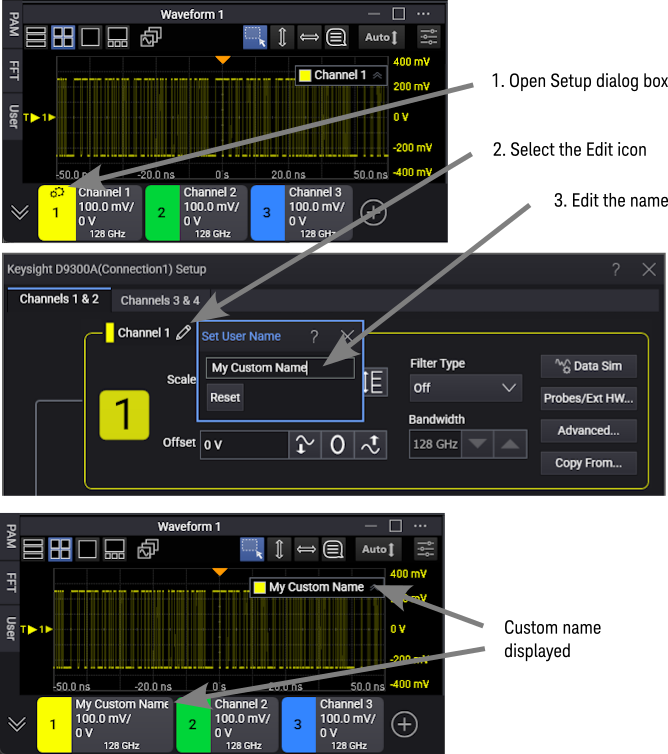
You can click a channel name or edit icon to change to a user-defined custom name.
To customize a waveform's label:
- Open the waveform setup dialog box.
- Select the waveform name
 Edit icon.
 - In the Set User Name dialog box, enter your custom label.
You can also edit waveform label names in these dialog boxes:
- Channel N Advanced Setup dialog box
- Differential (or Common-Mode) N Advanced Setup dialog box
- Function Setup dialog box
- Waveform Memories dialog box
- Color-Grade/Gray Scale Memory dialog box
To reset a label to its default value, open the Set User Name dialog box as described above and click Reset.