PAM-N Analysis Setup (Levels Tab)
Flex Apps:
FlexDCA
Meas. mode:
Scope
Waveform type:
PAM4
Levels (RMS)
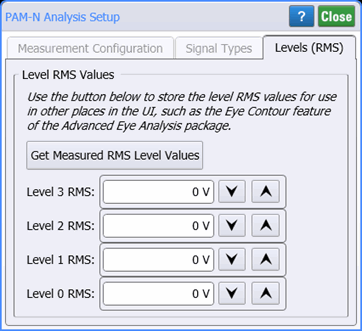
 Use this tab to enter RMS amplitude values for the four PAM4 signal levels. If you have the PAM4 Levels (RMS) measurement running, you can click the Get Measured RMS Level Values button to automatically copy these values into the dialog.
Values that are listed in the Level fields are automatically linked with Eye Mode's PAM Eye Contour Group Setup dialog (values in Random Noise fields).
| Setting Names | Waveform | |
|---|---|---|
| PAM-N Analysis Setup Dialog | Eye Contour Group Setup Dialog | |
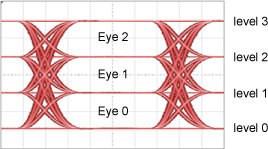
| Level 3 RMS | RN 3 Value |
|
| Level 2 RMS | RN 2 Value | |
| Level 1 RMS | RN 1 Value | |
| Level 0 RMS | RN 0 Value | |
This tab is only displayed for PAM measurements in Oscilloscope mode.