:DISPlay:CGSPectrum
Command Syntax
:DISPlay:CGSPectrum {STANdard | LCCLassic | HCCLassic | THERmal}
Query Syntax
:DISPlay:CGSPectrum?
Query Response
{STAN | LCCL | HCCL | THER}
Description
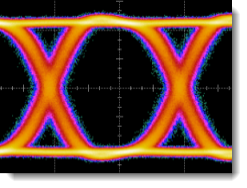
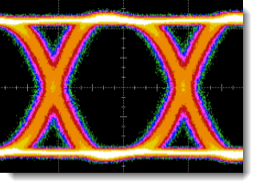
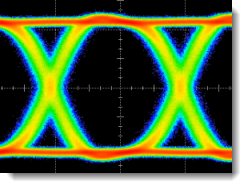
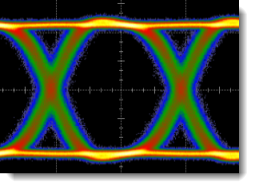
Selects the colors used to present Color Grade persistence waveforms. To select the color-grade persistence mode, use the :DISPlay:PERSistence:WAVeform command for waveforms or the :DISPlay:PERSistence:EYE command for real-time eye diagrams. The following pictures show the available color schemes that you can select. The default color scheme is Classic High Colors (HCCLassic).
Classic High Colors (HCCLassic)
Classic Low Colors (LCCLassic)
Standard Colors (STANdard)
Thermal Colors (THERmal)
To change the colors for gray scale persistence, use the :DISPlay:GSSPectrum command.
Example Command Sequence
:DISPlay:CGSPectrum STANdard