:DISPlay:GSSPectrum
Command Syntax
:DISPlay:GSSPectrum {STANdard | MONochrome}
Query Syntax
:DISPlay:GSSPectrum?
Query Response
{STANdard | MONochrome}
Description
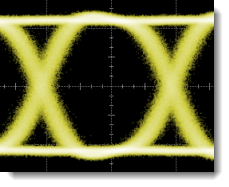
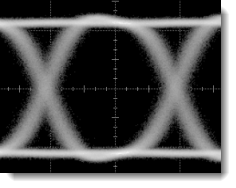
Selects the colors used to present Gray Scale persistence waveforms. To select the gray-scale persistence mode, use the :DISPlay:PERSistence:WAVeform command for waveforms or the :DISPlay:PERSistence:EYE command for real-time eye diagrams. The following pictures show the available color schemes that you can select. The STANDard selection shows the waveform in the color selected using the :CHANnel:COLor command, the :DIFF:COLor command, or the :FUNCtion:COLor command.
Standard
Monochrome
To change the colors for color grade persistence, use the :DISPlay:CGSPectrum command.
Example Command Sequence
:DISPlay:GSSPectrum STANdard