:DISPlay:PSIZe
Command Syntax
:DISPlay:PSIZe {NORMal | MEDium | LARGe | VLARge}
Query Syntax
:DISPlay:PSIZe?
Description
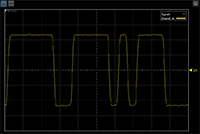
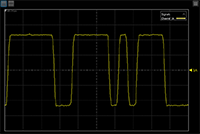
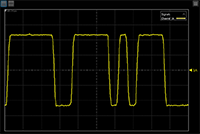
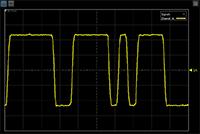
Selects waveform point size. Sometimes, waveforms may be difficult to see in screen captures or when the display is viewed at a distance, such as during a presentation. This can be the result of Infiniium's high screen resolution or the fact that some waveforms have a relatively small number of measurement points. With waveform point size, the number of display pixels used to represent a data point or line is expanded for easier viewing. Although thin traces and clusters of data points appear thicker and brighter on the display, the acquired data is not changed and all measurements, markers, histograms, saved waveforms, and other items are not affected.
The following table shows examples for the four available point size selections. By default, point size is not applied (NORMal argument). Depending on the type of waveform displayed, one of these selections may make the waveform easier to see.
| Argument | Displayed Waveform | Closeup of Waveform |
Closeup of Three Data Points (with Connect Waveform Points turned off) |
|---|---|---|---|
| NORMal |
|

|

|
| MEDium |
|

|

|
| LARGe |
|

|

|
| VLARge |
|

|

|
Common Parameter Child Commands
This command supports the use of the following common parameter child commands: :DEFault, :NEXT, :PREVious, and :VSET?.