:FUNCtion:PARameters:FFT:DISPlay
 Specifies the output format of an FFT operator (
:FUNCtion:FOPerator) to be one of the following types:
DBM— dBmDBV— dBVDBMV— dBmVDB— dB (Normalized)DBPHz— dBm/Hz (NSD). For Noise Spectral Density (NSD) measurements where a constant will be subtracted from the FFT function.MAGNitude— Linear MagnitudePHASe— PhaseUPHase— Unwrapped PhaseGDELay— Group Delay
When phase (PHASe), unwrapped phase (UPHase), or group delay (GDELay) is selected, use the :FUNCtion:PARameters:FFT:PREFerence command to set the FFT phase reference to left, center, or manual. If you select manual, use the :FUNCtion:PARameters:FFT:PREFerence:TORigin command to enter the FFT origin in seconds.
If the input is an optical signal and dBV (Electrical) is selected, use the :FUNCtion:PARameters:FFT:TFACtor command to enter the voltage conversion factor (V/W).
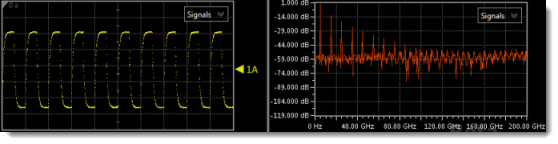
To ensure that enough data is available to construct a useful FFT, set Infiniium's timebase scale equal to the waveform's period. This will display 10 waveform cycles. For example, for a 5 GHz (200 ps) reference clock, enter a scale setting of 200 ps/division.
Content Windows
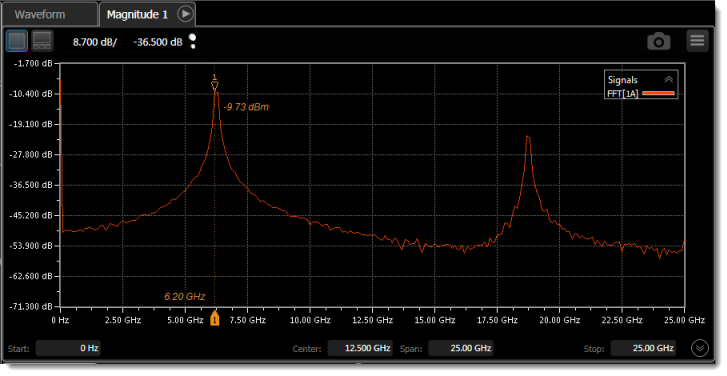
The FFT waveform is automatically displayed in the appropriate type of content window, which is listed in the following table and displayed in the above picture. For the DBHertz, DHERtz, and SHERtz arguments, you can optionally move the waveform to an additional content window of the same type using the :FUNCtion:CWINdow command. For example,
:FUNCtion1:FOPerator FFT  // Create an FFT function.
:FUNCtion1:OPERand1 CHAN1_1  // Assign input waveform.
:FUNCtion1:PARameters:FFT:DISPlay GDELay  // Select output waveform type. Waveform is automatically assigned to content window GDELay1.
:FUNCtion1:CWINdow GDELay2  // Display content window GDELay2 (Delay 2) and re-assign output waveform from GDELay1 to GDELay2.
| Argument | Equivalent GUI Selection |
Displayed Content Window |
Number of Available Windows |
Scale Units | |
|---|---|---|---|---|---|
| Via Front Panel |
Programmatically | ||||
| DBM | dBm | Decibels (Hz) | 1 | 4 | Y-Axis: dBm (logarithmic scale) X-Axis: Hertz |
| DBV | dBV | Y-Axis: dBV (logarithmic scale) X-Axis: Hertz |
|||
| DBMV | dBmV | Y-Axis: dBmV (logarithmic scale) X-Axis: Hertz |
|||
| DB | dB (Normalized) | Y-Axis: dB (logarithmic scale) X-Axis: Hertz |
|||
| DBPHz | dBm/Hz (NSD) | Y-Axis: dBm/Hz (logarithmic scale) X-Axis: Hertz |
|||
| MAGNitude | Linear Magnitude | Waveform | 1 | 4 | Y-Axis: Volts or Watts (linear scale) X-Axis: Hertz |
| PHASe | Phase | Degrees (Hz) | 1 | 4 | Y-Axis: phase (°) X-Axis: Hertz |
| UPHASe | Unwrapped Phase | ||||
| GDELay | Group Delay | Seconds (Hz) | 1 | 4 | Y-Axis: seconds X-Axis: Hertz |
Example Command Sequence
:FUNCtion2:FOPerator FFT
:FUNCtion2:PARameters:FFT:DISPlay DBM
:FUNCtion2:PARameters:FFT:WINDow HANNing
:FUNCtion2:COLor TCOLor4
:FUNCtion2:DISPlay ON
*OPC?
…  //  Your code to synchronize execution timing.